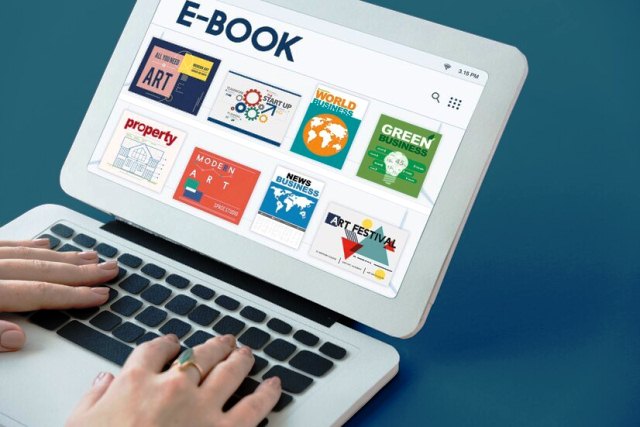
E-book publishing and self-publishing have revolutionized the way authors distribute and monetize their work. It allows writers to bypass traditional publishing houses and directly reach global audiences through online platforms. Here’s a detailed breakdown:
📖 E-Book Publishing & Self-Publishing Overview
✅ Low Barrier to Entry → Anyone can publish without a traditional publisher
✅ Higher Royalties → Earn up to 70% on platforms like Amazon KDP
✅ Global Reach → Sell worldwide without printing or shipping costs
✅ Full Creative Control → Choose your cover, formatting, and pricing
✅ Multiple Income Streams → Sell e-books, audiobooks, and print-on-demand copies
📌 Self-Publishing Platforms
Here are the best platforms to publish your e-book:
1️⃣ Amazon Kindle Direct Publishing (KDP)
- 🏆 Best for: Wide reach, Kindle audience
- 📈 Royalties: 35% – 70%
- 🔥 Perks: Kindle Unlimited & KDP Select boost visibility
- 💰 Cons: Amazon takes a cut, exclusivity with KDP Select
2️⃣ Apple Books
- 🏆 Best for: iOS users & premium pricing
- 📈 Royalties: 70%
- 🔥 Perks: Direct access to Apple’s audience
- 💰 Cons: Fewer market share than Amazon
3️⃣ Barnes & Noble Press (Nook)
- 🏆 Best for: US-based audience
- 📈 Royalties: Up to 70%
- 🔥 Perks: No exclusivity required
4️⃣ Kobo Writing Life
- 🏆 Best for: International sales
- 📈 Royalties: Up to 70%
- 🔥 Perks: Strong presence in Canada, Europe, and Asia
5️⃣ Google Play Books
- 🏆 Best for: Android users & SEO optimization
- 📈 Royalties: 52%
- 🔥 Perks: Direct purchase via Google search
6️⃣ PublishDrive & Draft2Digital (Aggregators)
- 🏆 Best for: Publishing on multiple platforms at once
- 📈 Royalties: Platform-dependent
- 🔥 Perks: Distribute to Apple, Kobo, B&N, etc. in one place
📌 Steps to Publish Your E-Book
1️⃣ Write & Edit Your Book
- Length: Aim for 15,000+ words for non-fiction, 40,000+ for fiction
- Editing: Hire a professional editor or use Grammarly & ProWritingAid
- Formatting: Use tools like Vellum, Scrivener, or Kindle Create
2️⃣ Design a Professional Cover
- Use Canva, Adobe Photoshop, or hire a designer on Fiverr / 99designs
- Eye-catching, genre-specific designs boost sales
3️⃣ Convert Your Book to E-Book Format
- Formats: EPUB, MOBI (for Kindle), PDF
- Tools: Calibre, Draft2Digital, Reedsy
4️⃣ Set Up & Publish on Platforms
- Create an author account on KDP, Apple Books, etc.
- Upload manuscript, cover, & metadata
- Choose pricing & royalty options
5️⃣ Market & Sell Your Book 🚀
✔ Amazon Ads & Facebook Ads for traffic
✔ Email marketing (Lead magnets, free chapters)
✔ Social media promotion (TikTok, Instagram, YouTube)
✔ Book bloggers & influencer partnerships
✔ Run limited-time free promotions to boost rankings
📌 Monetization & Scaling Strategies
💰 Sell Audiobooks → Use Audible (ACX), Findaway Voices
💰 Create a Print Version → Use Amazon KDP Print, IngramSpark
💰 Bundle Your E-Books → Offer box sets or membership access
💰 Sell Direct on Your Website → Use Gumroad, Payhip, WooCommerce
💰 Turn Your Book Into a Course → Expand into e-learning
📚 E-Book Publishing & Self-Publishing Business Details
E-book publishing is a profitable, low-cost business model that allows authors, content creators, and entrepreneurs to sell digital books globally without the need for traditional publishing houses. Here’s a deep dive into the business side of self-publishing.
📌 Business Model Breakdown
- Self-Publishing on Marketplaces
- Platforms like Amazon KDP, Apple Books, Google Play Books, Kobo
- Earn up to 70% royalties per sale
- Best for new & experienced authors
- Direct Sales via Website
- Sell on your own website (using Gumroad, Payhip, WooCommerce)
- Keep 100% of your revenue
- Best for branding & audience building
- Subscription or Membership Model
- Offer exclusive books via Patreon, Substack, or Kindle Vella
- Best for ongoing engagement & recurring income
- Audiobook Expansion
- Convert e-books into audiobooks (Audible, Findaway Voices)
- Access an entirely new audience
- E-Book Bundles & Upsells
- Sell multiple books together at a discount
- Offer premium workbooks, guides, templates
📌 Startup Costs & Revenue Potential
💰 Initial Costs (~$500 – $2,500+)
- Writing & Editing: $0 – $500 (Self-edit or hire an editor)
- Cover Design: $50 – $300 (DIY or hire a designer)
- Formatting: $0 – $150 (Use Vellum, Draft2Digital, or hire someone)
- Marketing: $100 – $1,000 (Amazon ads, Facebook ads, PR)
💰 Earnings Potential
- Beginner Authors: $100 – $500/month
- Mid-Level (with ads & audience): $1,000 – $5,000/month
- Top Sellers & Experts: $10,000 – $100,000+/month
🚀 Best Strategy: Focus on niche markets (business, self-help, health, etc.) to maximize sales & profits.
📌 Best Niches for E-Books (High Demand)
✔ Business & Entrepreneurship
✔ Self-Improvement & Mindset
✔ Health, Fitness & Wellness
✔ Personal Finance & Investing
✔ Online Marketing & Social Media
✔ Technology & AI
✔ Education & Study Guides
✔ Fiction Genres (Romance, Thriller, Sci-Fi, Fantasy)
📌 Key Steps to Build a Profitable E-Book Business
✅ 1. Identify Your Niche & Target Audience
✅ 2. Write, Edit & Format Your E-Book
✅ 3. Create a Professional Cover & Engaging Title
✅ 4. Publish on Marketplaces (KDP, Apple, etc.) & Your Website
✅ 5. Optimize Pricing Strategy ($2.99 – $9.99 for higher royalties)
✅ 6. Market via Amazon Ads, Social Media, & Email List
✅ 7. Scale with Audiobooks, Courses & Bundles
📌 Monetization Strategies
💰 E-Book Sales (Amazon KDP, Apple Books)
💰 Audiobook Sales (Audible, Findaway Voices)
💰 Print-on-Demand Books (KDP Print, IngramSpark)
💰 Direct Sales via Website (Gumroad, Payhip)
💰 E-Book Bundles & Subscription Offers
💰 Affiliate Marketing (Include relevant links in books)
💰 Courses & Coaching (Expand into education business)
📌 Scaling & Long-Term Growth
🚀 Publish Multiple Books – More books = more sales
🚀 Create a Brand – Build a blog, YouTube, or podcast
🚀 Grow an Email List – Convert readers into long-term buyers
🚀 Offer Premium Content – Courses, coaching, exclusive content
🚀 Leverage Ads & PR – Run Amazon Ads, collaborate with influencers
📌 Final Thoughts
💡 E-Book publishing is a long-term, scalable business with high margins. If you focus on the right niche, smart pricing, and strong marketing, you can turn it into a 6-figure business.
📢 Marketing Strategies for E-Book Publishing & Self-Publishing
Selling e-books successfully requires a strong marketing plan to drive traffic, attract buyers, and maximize sales. Here’s a step-by-step strategy:
📌 1. Pre-Launch Strategy (Build Buzz)
✅ Define Your Audience & Niche – Who is your ideal reader? Business professionals, self-improvement seekers, fiction lovers?
✅ Create a Landing Page – Collect emails for early sales (Use ConvertKit, MailerLite, or Leadpages)
✅ Build an Email List – Offer a free chapter or bonus content to get sign-ups
✅ Leverage Social Media – Start posting quotes, snippets, behind-the-scenes content
✅ Form a Launch Team – Get beta readers, bloggers, and influencers to promote your book
💡 Goal: Generate hype and collect pre-launch subscribers for immediate sales.
📌 2. Launch Strategy (Maximize First Sales)
🚀 Publish & Optimize on Amazon KDP, Apple Books, & Google Play
🚀 Set a Limited-Time Discount ($0.99 – $2.99) to boost rankings
🚀 Run Amazon KDP Free Book Promotions (for Kindle Unlimited exposure)
🚀 Encourage Reviews Early (Reach out to ARC readers & fans)
🚀 Leverage Social Media Ads (Meta & Instagram) – Target book lovers
🚀 Join Facebook & Reddit Groups (Engage in niche discussions)
🚀 Collaborate with Influencers & Book Bloggers – Send them a copy
💡 Goal: Boost sales, rank higher on Amazon, and generate reviews.
📌 3. Ongoing Marketing & Scaling
📈 Run Amazon Ads & Facebook Ads – Target readers by genre & interests
📈 Leverage Book Promotion Sites – Submit to BookBub, Bargain Booksy, Freebooksy, Written Word Media
📈 Create a Book Funnel – Offer a free e-book to upsell premium content
📈 Turn Your E-Book into an Audiobook (Sell on Audible & Findaway Voices)
📈 Expand to Print-on-Demand (KDP Print, IngramSpark)
📈 Use YouTube & TikTok for Book Marketing – Share story insights & excerpts
💡 Goal: Sustain long-term sales, grow your brand, and diversify income.
📌 Best Platforms for E-Book Marketing
✔ Amazon KDP & Kindle Unlimited – Sell to global audiences
✔ Apple Books, Kobo, Google Play – Expand reach
✔ Gumroad & Payhip – Sell direct for higher profits
✔ Book Promotion Sites (BookBub, Freebooksy, etc.) – Get thousands of readers
✔ Meta & Google Ads – Drive targeted traffic
✔ YouTube & TikTok – Free viral marketing
📌 Bonus: Long-Term Growth Strategies
🌟 Repurpose Your Content – Turn e-books into courses, podcasts, audiobooks
🌟 Sell Direct & Build a Personal Brand – Use email marketing & membership models
🌟 Launch a Series or Multiple Books – More books = more exposure & royalties
📌 Step-by-Step Guide to Setting Up Your E-Book Publishing Website
Having your own website for e-book sales allows direct control over pricing, audience, and profits (unlike Amazon KDP or Apple Books, which take commissions). Here’s how to set up your website step by step:
1️⃣ Choose a Domain & Hosting
✅ Pick a Brandable Domain Name (e.g., YourNameBooks.com or YourNicheBooks.com)
✅ Register via Namecheap, GoDaddy, or Google Domains
✅ Choose Web Hosting – Recommended options:
- 🏆 Shopify (Best for e-book + merch sales)
- 🏆 WordPress + WooCommerce (Most flexible & scalable)
- 🏆 Sell Direct via Gumroad or Payhip (No website needed)
2️⃣ Set Up Your E-Commerce Store
🔹 If using Shopify:
- Choose a clean theme (Debutify, Booster)
- Install Digital Downloads App for e-book delivery
- Add payment gateways (Stripe, PayPal)
🔹 If using WordPress + WooCommerce:
- Install Astra or GeneratePress Theme
- Use Easy Digital Downloads plugin to sell e-books
- Set up secure payments via Stripe or PayPal
🔹 Alternative Platforms for Simplicity:
- Gumroad, Payhip, or Podia – Upload, sell, and get paid instantly
- Teachable or Kajabi – If offering e-books as part of a course
3️⃣ Design & Optimize Your Website
💡 Essential Pages:
✅ Homepage – Feature your e-book + strong call-to-action (CTA)
✅ Book Sales Page – Cover, summary, benefits, testimonials, buy button
✅ About Page – Build trust by sharing your author story
✅ Blog (Optional) – Write content related to your book topic for SEO
✅ Email Opt-in Form – Collect leads for future launches
4️⃣ Automate E-Book Delivery
📩 Use Instant File Delivery Services
- Shopify (Digital Downloads App) – Sends e-books automatically after purchase
- WooCommerce (Easy Digital Downloads) – Automates delivery
- Gumroad & Payhip – Handles everything (checkout + download)
5️⃣ Drive Traffic & Sell More Books
🚀 SEO Strategy – Write blog posts about your book’s topic
🚀 Facebook & Instagram Ads – Run targeted ads to your book sales page
🚀 Email Marketing – Use ConvertKit or MailerLite for book launch emails
🚀 TikTok & YouTube Marketing – Create book-related content
🚀 Affiliate Marketing – Offer commissions to influencers promoting your book
💰 Bonus: Sell Beyond Your Website
🔹 List your e-book on Amazon KDP, Apple Books, Kobo, and Google Play
🔹 Create audiobooks for Audible & Findaway Voices
🔹 Sell print versions via KDP Print or IngramSpark
Still confused or busy to set up your online store/official site ? E-Commerce ,Website operation/ Optimization ? It’s very easy, just contact us/hire a web master/web developer/IT Consultant
