
erica lauren
Introduction
A screen can be described in many different ways.
You may see a television advertised as 55 inches, a monitor described as 27 inches, an ultrawide display listed as 34 inches, or a projector screen described as 120 inches.
At first glance, these numbers seem straightforward.
However, the diagonal measurement does not tell you exactly how wide or tall the display is.
That distinction matters when you are designing a home theater, choosing a television, buying a computer monitor, planning a gaming setup, installing digital signage, or determining whether a display will fit a particular piece of furniture.
A Screen Size Calculator provides a convenient way to convert diagonal measurements and aspect ratios into useful physical dimensions.
This comprehensive guide explains the mathematics behind screen size calculations and shows how to apply those calculations in real-world situations.
What Is a Screen Size Calculator?
A Screen Size Calculator is a digital tool that calculates the dimensions of a rectangular display.
Depending on the calculator, you may enter:
- Screen diagonal
- Screen width
- Screen height
- Aspect ratio
The tool can then calculate the remaining dimensions.
Many calculators also provide:
- Inches
- Centimeters
- Screen area
- Aspect-ratio comparisons
- Width-to-height measurements
The concept is based on basic geometry rather than complicated engineering.
The Geometry Behind Screen Dimensions
Every rectangular screen creates a right triangle when you draw a diagonal line from one corner to the opposite corner.
That triangle has:
- Width
- Height
- Diagonal
The diagonal acts as the hypotenuse.
The Pythagorean theorem states:
a² + b² = c²
For a display:
Width² + Height² = Diagonal²
Therefore:
Diagonal = √(Width² + Height²)
This formula is the foundation of screen-size calculations.
Calculating Width From Diagonal
Knowing the diagonal alone is not enough to calculate width.
You also need the aspect ratio.
For example, a 60-inch screen with a 16:9 aspect ratio has a different width from a 60-inch screen with a 4:3 aspect ratio.
For aspect ratio A:B:
Width = Diagonal × A / √(A²+B²)
This formula can be applied to virtually any rectangular display.
Calculating Height From Diagonal
The corresponding height formula is:
Height = Diagonal × B / √(A²+B²)
Therefore, if a 60-inch display uses 16:9:
Width = 60 × 16 / √337
Height = 60 × 9 / √337
The approximate dimensions are:
- Width: 52.3 inches
- Height: 29.4 inches
Why 16:9 Is So Common
16:9 became a dominant format for modern video.
It is used by:
- Televisions
- Streaming platforms
- YouTube video
- Computer monitors
- Laptops
- Game consoles
- Projectors
- Digital signage
Because it is so common, many Screen Size Calculators use 16:9 as a default aspect ratio.
However, always verify the aspect ratio before calculating.
Other Important Aspect Ratios
4:3
A traditional format used in older televisions and computer displays.
16:10
Common on some productivity monitors and laptops.
21:9
Popular among ultrawide monitors.
32:9
Used for super-ultrawide displays.
3:2
Found on certain laptops, tablets, and professional displays.
1:1
A square display.
Each aspect ratio changes the physical width and height for a given diagonal.
Comparing 16:9 and 21:9
Imagine two displays with the same 34-inch diagonal.
The 16:9 version is taller.
The 21:9 version is wider.
This can dramatically change how the display feels in a room or on a desk.
The ultrawide screen can be especially useful for:
- Video editing
- Trading
- Programming
- Multitasking
- Gaming
- Spreadsheet work
The 16:9 screen may be more suitable for:
- Television
- Traditional video
- Console gaming
- General-purpose computing
Screen Area Calculation
Another useful metric is area.
The formula is:
Area = Width × Height
Area helps explain why different aspect ratios can produce different viewing areas.
Suppose two displays have identical diagonal measurements but different proportions.
Their width and height will differ.
Therefore, their total area can also differ.
Example: Screen Area
For a 55-inch 16:9 display:
Width ≈ 47.9 inches
Height ≈ 27.0 inches
Therefore:
Area ≈ 47.9 × 27.0
The result is approximately:
1,293 square inches
This is a mathematical estimate of the display surface.
Converting Screen Dimensions to Metric Units
To convert inches into centimeters:
cm = inches × 2.54
For example:
47.9 inches × 2.54 ≈ 121.7 cm
27 inches × 2.54 ≈ 68.6 cm
Therefore, a 55-inch 16:9 screen has an approximate display area of:
121.7 cm × 68.6 cm
Again, the actual television cabinet may be larger.
TV Size Chart
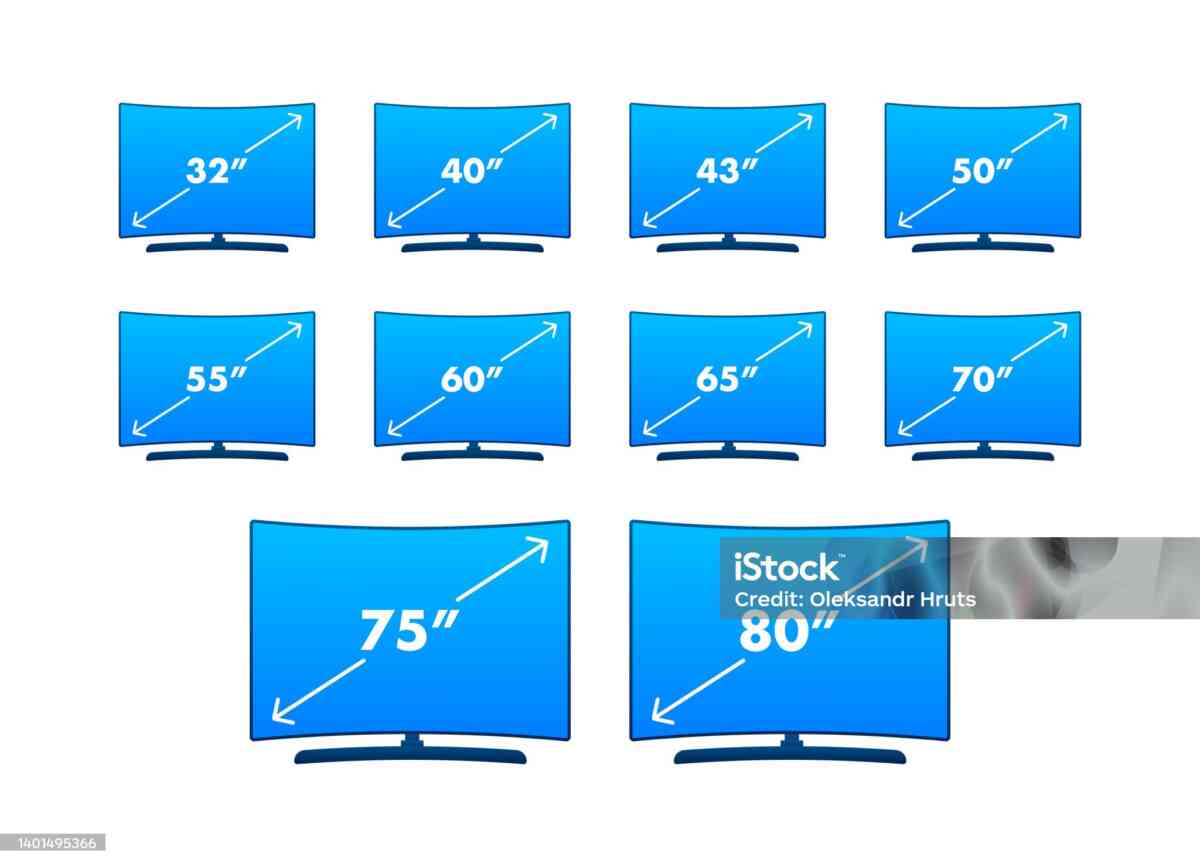
A useful reference for common 16:9 televisions is:
| TV Size | Approx. Screen Width | Approx. Screen Height |
|---|---|---|
| 32″ | 27.9″ | 15.7″ |
| 40″ | 34.9″ | 19.6″ |
| 43″ | 37.5″ | 21.1″ |
| 48″ | 41.8″ | 23.5″ |
| 50″ | 43.6″ | 24.5″ |
| 55″ | 47.9″ | 27.0″ |
| 60″ | 52.3″ | 29.4″ |
| 65″ | 56.6″ | 31.9″ |
| 70″ | 61.0″ | 34.3″ |
| 75″ | 65.4″ | 36.8″ |
| 85″ | 74.1″ | 41.7″ |
| 98″ | 85.4″ | 48.0″ |
These values represent the approximate active display area.
How Large Is a 75-Inch TV?
A 75-inch 16:9 display is approximately:
65.4 inches wide
and:
36.8 inches high
In centimeters:
166.1 cm wide
and:
93.5 cm high
The complete TV can be slightly larger.
If you are mounting it on a wall, the display is substantial and requires careful consideration of wall construction, mounting hardware, and viewing position.
How Large Is an 85-Inch TV?
An 85-inch 16:9 screen is approximately:
- 74.1 inches wide
- 41.7 inches high
That is approximately:
- 188.2 cm wide
- 105.9 cm high
This is a large display and may require significant wall or furniture space.
How Large Is a 43-Inch TV?
A 43-inch 16:9 display is approximately:
- 37.5 inches wide
- 21.1 inches high
This is one reason a 43-inch television can fit comfortably into many smaller living spaces.
Screen Size and Furniture
One of the most common mistakes consumers make is comparing the advertised diagonal measurement directly with furniture width.
For example, a cabinet that is 48 inches wide may appear suitable for a 55-inch television.
Mathematically, the 55-inch display itself is approximately 47.9 inches wide.
But the television’s complete cabinet may exceed that width.
Therefore, a cabinet should never be selected based only on the screen diagonal.
Always compare furniture dimensions with the manufacturer’s actual television width.
Wall-Mounting a Large Display
When wall mounting a television, calculate the display dimensions and then check:
- Wall width
- Stud locations
- Mounting bracket compatibility
- Cable routes
- Power outlet position
- Viewing height
- Soundbar position
- Furniture below the screen
The calculator is useful for visual planning.
The manufacturer’s installation specifications should be used for final mounting decisions.
Screen Size Calculator for Office Work
A screen’s physical dimensions directly influence your workspace.
For example, a 24-inch monitor is relatively compact.
A 32-inch monitor provides significantly more display area.
A 34-inch ultrawide monitor provides much more horizontal workspace.
A 49-inch super-ultrawide display can replace multiple conventional monitors for some workflows.
Before selecting a display, consider whether your desk can accommodate the width.
Screen Size and Multi-Monitor Workstations
A calculator can help plan multi-monitor configurations.
Suppose you have:
Two 24-inch monitors
or
Two 27-inch monitors.
The 27-inch pair requires more horizontal space.
If placed side by side, two 27-inch 16:9 displays have approximately 47 inches of combined screen width before accounting for bezels and gaps.
A monitor arm can help reduce desk clutter.
Three-Monitor Configurations
Three 27-inch displays would require approximately 70.5 inches of combined screen width if placed directly side by side.
That is nearly six feet of display surface.
This demonstrates why workspace planning should happen before purchasing multiple monitors.
Vertical Monitor Configurations
A 16:9 monitor can be rotated vertically.
For a 27-inch display:
Landscape:
- Approximately 23.5 inches wide
- Approximately 13.2 inches high
Portrait:
- Approximately 13.2 inches wide
- Approximately 23.5 inches high
This can be particularly useful for:
- Coding
- Writing
- Reading
- Research
- Document review
Screen Size Calculator for Gaming
Gamers need to consider both physical size and viewing distance.
A large screen can create immersion.
A smaller screen can make it easier to view the entire image quickly.
Competitive gaming often prioritizes:
- Refresh rate
- Response time
- Input latency
- Appropriate screen size
- Resolution
Immersive gaming may prioritize:
- Large display
- Ultrawide aspect ratio
- High resolution
- Curved panel
The calculator helps determine the physical dimensions before making the purchase.
Screen Size and Resolution
Resolution and screen size should be considered together.
A 24-inch 1080p monitor and a 32-inch 1080p monitor have the same pixel count.
But the pixels are spread over different physical areas.
The larger display therefore has lower pixel density.
A 4K display has:
3840 × 2160 pixels
This provides substantially more pixels than 1080p.
However, a 4K display can be any physical size.
Resolution describes pixel count, while screen size describes physical dimensions.
Screen Size and PPI
PPI means pixels per inch.
The formula is:
PPI = Diagonal Resolution / Screen Diagonal
Diagonal resolution can be calculated from horizontal and vertical resolution:
Diagonal Pixels = √(Horizontal Pixels² + Vertical Pixels²)
PPI becomes useful when determining how sharp text and images may appear.
A Screen Size Calculator and PPI Calculator can therefore be used together.
Screen Size for Photography
Photographers and graphic designers may care about:
- Resolution
- Color accuracy
- PPI
- Screen size
- Viewing area
- Calibration
A larger display can make editing easier because more of an image can be displayed at once.
However, physical size should not replace color accuracy and resolution when selecting a professional display.
Screen Size for Video Editing
Video editors often prefer larger or wider displays.
A large monitor can provide enough room for:
- Timeline
- Preview window
- Effects
- Media browser
- Audio controls
Ultrawide monitors are especially useful because they provide significant horizontal workspace.
Screen Size for Financial Analysis
Traders, analysts, and financial professionals often use multiple screens.
A larger display can show:
- Charts
- Order books
- News
- Spreadsheets
- Research
- Market data
The calculator can help determine whether the chosen monitor arrangement will fit on a desk.
Screen Size for Programming
Developers frequently benefit from additional vertical and horizontal space.
Possible configurations include:
- One large monitor
- Two 27-inch monitors
- Ultrawide monitor
- Main landscape monitor plus portrait display
The ideal configuration depends on coding habits and available workspace.
Screen Size Calculator for Home Theater
A home theater requires careful planning.
Important variables include:
- Screen width
- Screen height
- Diagonal
- Aspect ratio
- Seating distance
- Projector throw distance
- Resolution
- Room dimensions
A calculator gives you the physical dimensions needed to determine whether a screen fits the wall.
Projector Screen Example
Suppose you want a 120-inch 16:9 projection screen.
The approximate dimensions are:
- Width: 104.6 inches
- Height: 58.8 inches
In centimeters:
- Width: approximately 265.7 cm
- Height: approximately 149.4 cm
This illustrates how a large diagonal translates into substantial wall space.
Projector Screen and Throw Distance
Once screen width is known, projector throw distance can be estimated from the projector’s throw ratio.
For example:
Throw Distance = Throw Ratio × Screen Width
If a projector has a throw ratio of 1.5 and the screen width is 100 inches:
Throw Distance = 1.5 × 100
Throw Distance = 150 inches
Actual projector specifications may provide a range rather than one fixed ratio.
Screen Size for Conference Rooms
Large displays can improve presentation visibility in conference rooms.
The correct size depends on:
- Room length
- Number of participants
- Seating arrangement
- Text size
- Presentation content
- Viewing angles
A Screen Size Calculator helps estimate physical dimensions, while room planning determines whether the display is appropriate.
Screen Size for Classrooms
In classrooms, display size affects readability.
Students sitting farther from the display need to see:
- Text
- Charts
- Equations
- Images
- Video
A larger display may improve visibility, but mounting height and viewing angles are equally important.
Screen Size for Digital Signage
Retailers and businesses can use screen-size calculations when planning signage.
Applications include:
- Store advertising
- Restaurant menus
- Hotel information
- Corporate directories
- Event information
- Public announcements
The screen’s physical size must be balanced with viewing distance and available installation space.
Screen Size for Automotive Displays
Vehicles increasingly use large infotainment and instrument displays.
Screen dimensions can affect:
- Dashboard layout
- Visibility
- User interface design
- Installation
- Passenger interaction
Although automotive displays may use specialized shapes, rectangular screen calculations remain useful for standard displays.
Screen Size for Smartphones and Tablets
Smartphone and tablet screens are also commonly advertised by diagonal size.
Examples include displays around:
- 6 inches
- 7 inches
- 8 inches
- 10 inches
- 11 inches
- 12 inches
- 13 inches
Aspect ratios can differ significantly.
Therefore, a 10-inch tablet does not necessarily have the same width and height as another 10-inch tablet.
Why Aspect Ratio Matters on Mobile Devices
Mobile devices may use ratios such as:
- 16:9
- 16:10
- 3:2
- 4:3
- 20:9
A 10-inch 4:3 display has a different shape from a 10-inch 16:9 display.
For users who care about reading, video, gaming, or productivity, these physical differences can matter.
Measuring a Screen Yourself
If you already own a display and do not know its advertised size, you can measure the diagonal.
Use a measuring tape from:
One visible corner → opposite visible corner
Do not include the bezel unless the manufacturer specifically defines the measurement differently.
Round the result to the nearest common screen size if appropriate.
Determining Aspect Ratio From Measurements
If you measure:
Width = 48 inches
Height = 27 inches
The ratio is:
48:27
Divide both by 3:
16:9
Therefore, the screen is approximately 16:9.
Using Screen Size Calculator for Renovation Projects
During a home renovation, it can be useful to calculate screen dimensions before installing:
- Wall panels
- Entertainment cabinets
- Built-in shelving
- Media walls
- Projector screens
Planning the display dimensions before construction can reduce expensive modifications later.
Screen Size and Soundbar Placement
A large television often pairs with a soundbar.
The display dimensions can help determine:
- Soundbar width
- Furniture width
- Mounting position
- Clearance
A very wide soundbar may extend beyond a small television.
The screen calculator therefore contributes to broader media-room planning.
Screen Size and Viewing Angles
Screen dimensions affect viewing geometry.
If the screen is too wide for a narrow seating arrangement, viewers at the sides may experience uncomfortable viewing angles.
A curved ultrawide monitor can reduce this issue for close-range desk use.
Screen Size for Simulators
Flight simulators, racing simulators, and other immersive systems can benefit from wide displays.
Possible configurations include:
- Triple monitors
- Ultrawide monitors
- Super-ultrawide monitors
- Large televisions
- Projectors
Screen calculations help determine the physical footprint.
Benefits of a Free Screen Size Calculator
A free calculator can save time and reduce mistakes.
Fast
You can calculate dimensions in seconds.
Convenient
No manual geometry is required.
Flexible
Different aspect ratios can be tested.
Useful for Shopping
Compare several display sizes before purchasing.
Useful for Installation
Estimate wall and desk requirements.
Useful for Planning
Design home theaters and workstations more efficiently.
What a Screen Size Calculator Cannot Tell You
A calculator cannot determine:
- Image quality
- Color accuracy
- Contrast
- HDR performance
- Refresh rate
- Response time
- Viewing-angle performance
- Actual cabinet size
- Mounting compatibility
These require manufacturer specifications and product evaluation.
Final Checklist Before Buying a Display
Before purchasing a television or monitor, consider:
- Diagonal size
- Width
- Height
- Aspect ratio
- Resolution
- PPI
- Viewing distance
- Desk or wall dimensions
- Stand dimensions
- Mount compatibility
- Cable connections
- Intended use
A calculator can help with the mathematical portion of this process.
Frequently Asked Questions
How do I calculate screen width?
Use the diagonal and aspect ratio:
Width = D × A / √(A²+B²)
How do I calculate screen height?
Use:
Height = D × B / √(A²+B²)
How do I calculate diagonal size?
Use:
D = √(Width² + Height²)
What does 16:9 mean?
It means the display has 16 units of width for every 9 units of height.
Is screen size measured with the bezel?
Normally, advertised display size refers to the visible screen diagonal rather than the outer cabinet.
Can I use a screen calculator for a projector?
Yes, provided the screen has a known aspect ratio.
Can I calculate an ultrawide monitor?
Yes. Enter the appropriate diagonal and aspect ratio, such as 21:9 or 32:9.
Conclusion
A Screen Size Calculator is one of the simplest ways to turn display specifications into practical measurements.
The advertised diagonal is useful, but it is only one part of the picture. Aspect ratio determines the shape, while width and height determine the physical footprint. Resolution and PPI then determine how pixels are distributed across that physical area.
For consumers, this makes it easier to choose a television that fits the room.
For professionals, it can help plan workstations, conference rooms, classrooms, digital signage, and home theaters.
For gamers, it can help compare standard, ultrawide, and super-ultrawide displays.
For projector users, it can help determine screen dimensions and support throw-distance planning.
The central formula is simple:
Width² + Height² = Diagonal²
When the aspect ratio is known, the entire screen geometry can be calculated quickly.
Use a free Screen Size Calculator whenever you need to compare displays, estimate dimensions, plan an installation, or determine whether a screen will fit your available space. And when making a final purchase or installation decision, always confirm the manufacturer’s exact physical dimensions because bezels, stands, cabinets, and mounting hardware can change the total footprint.


