
erica lauren
Introduction
Choosing the right screen size can be surprisingly difficult.
A television may be advertised as a 55-inch, 65-inch, 75-inch, or 85-inch display, but that number describes the diagonal measurement, not the actual width or height. The same diagonal size can also produce different physical dimensions depending on the screen’s aspect ratio.
This is where a Screen Size Calculator becomes useful.
A free Screen Size Calculator allows users to determine the width, height, diagonal measurement, aspect ratio, and sometimes viewing distance of a display. It can be used for televisions, computer monitors, laptops, projectors, projection screens, digital signage, gaming displays, and other rectangular screens.
Instead of guessing whether a screen will fit on a wall, desk, entertainment center, or projection area, users can calculate the actual dimensions before purchasing.
This guide explains what a Screen Size Calculator is, how screen measurements work, how to calculate dimensions manually, how aspect ratio affects size, and how to choose the right screen for different rooms and applications.
What Is a Screen Size Calculator?
A Screen Size Calculator is an online tool that calculates the physical dimensions of a screen based on measurements such as:
- Diagonal size
- Width
- Height
- Aspect ratio
Depending on the tool, it may also calculate:
- Screen area
- Viewing distance
- Pixel density
- Resolution
- Pixels per inch
- Screen-to-wall proportions
For example, if you know that a television has a 65-inch diagonal and uses a 16:9 aspect ratio, a calculator can estimate the actual screen width and height.
This is much more useful for room planning than simply knowing the diagonal measurement.
Why Is Screen Size Measured Diagonally?
Most televisions and monitors are advertised using diagonal measurement.
For example:
55-inch TV
65-inch TV
75-inch TV
The diagonal measurement runs from one corner of the visible display to the opposite corner.
It does not represent the width.
A 65-inch 16:9 television is approximately:
56.7 inches wide
and
31.9 inches high
Therefore, a person planning furniture placement should not assume that a 65-inch television is 65 inches wide.
Understanding Screen Aspect Ratio
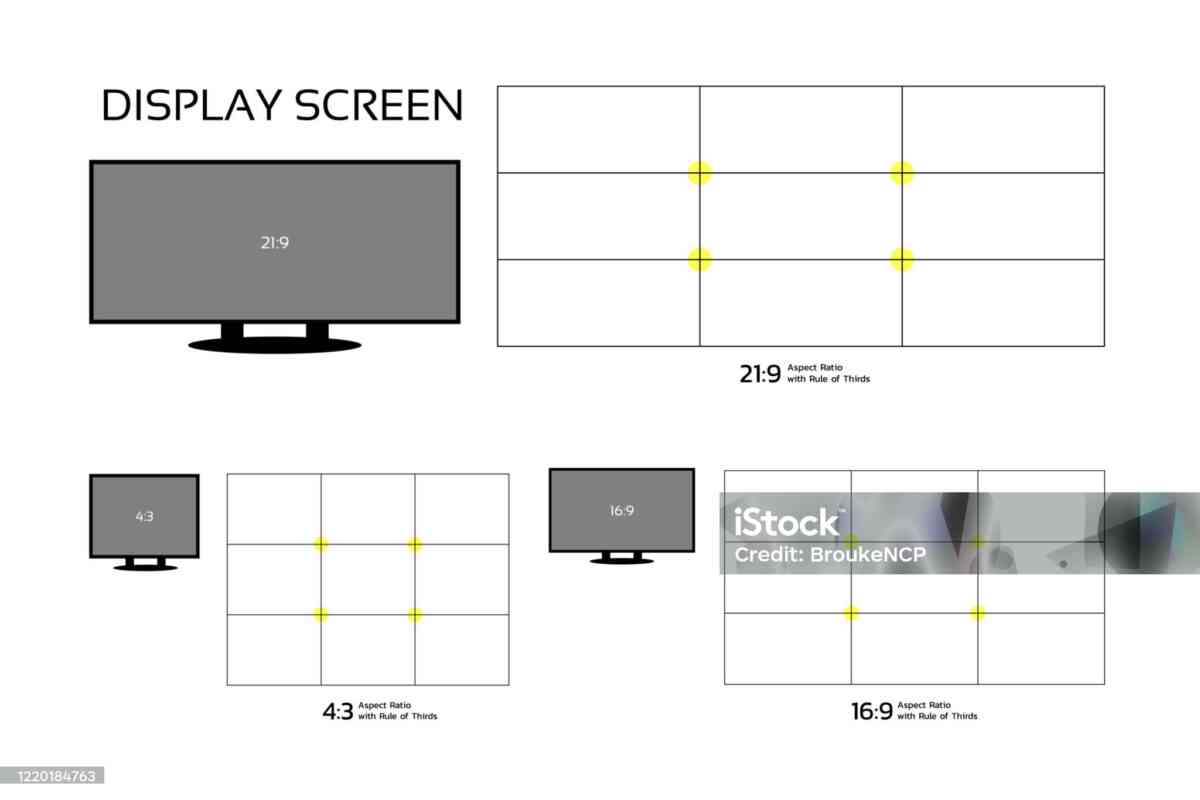
Aspect ratio describes the relationship between screen width and height.
Common aspect ratios include:
- 16:9
- 16:10
- 4:3
- 21:9
- 32:9
For example, a 16:9 display has:
16 units of width
for every:
9 units of height
Modern televisions commonly use 16:9.
Many computer monitors also use 16:9, while ultrawide monitors may use 21:9 or 32:9.
The Screen Size Formula
If you know the diagonal size and aspect ratio, you can calculate width and height.
For a general screen with width-to-height ratio:
W:H
the diagonal is:
D = √(W² + H²)
If the diagonal is known, the dimensions can be calculated proportionally.
For a 16:9 screen:
Width = Diagonal × 16 / √337
Height = Diagonal × 9 / √337
This simplifies approximately to:
Width = Diagonal × 0.8716
Height = Diagonal × 0.4903
Example: 55-Inch 16:9 Screen
Suppose you have a 55-inch television.
Width:
55 × 0.8716 ≈ 47.94 inches
Height:
55 × 0.4903 ≈ 26.97 inches
So the display area is approximately:
47.9 × 27.0 inches
The actual television chassis may be slightly larger because of bezels and the housing.
Example: 65-Inch 16:9 Screen
For a 65-inch display:
Width:
65 × 0.8716 ≈ 56.65 inches
Height:
65 × 0.4903 ≈ 31.87 inches
Therefore:
65-inch 16:9 screen ≈ 56.7 × 31.9 inches
This is a useful measurement when determining whether a television will fit on a wall or entertainment unit.
Example: 75-Inch 16:9 Screen
For a 75-inch display:
Width:
75 × 0.8716 ≈ 65.37 inches
Height:
75 × 0.4903 ≈ 36.77 inches
Therefore:
75-inch screen ≈ 65.4 × 36.8 inches
Again, the physical television may be slightly larger.
Example: 85-Inch 16:9 Screen
For an 85-inch display:
Width:
85 × 0.8716 ≈ 74.09 inches
Height:
85 × 0.4903 ≈ 41.68 inches
So an 85-inch 16:9 display is approximately:
74.1 × 41.7 inches
This illustrates how quickly screen dimensions increase as diagonal size becomes larger.
Screen Size Calculator for Televisions
A Screen Size Calculator is particularly useful when buying a television.
Consumers often compare:
- 50-inch
- 55-inch
- 65-inch
- 75-inch
- 85-inch
- 98-inch
But diagonal measurements alone do not show how much wall space the TV requires.
The calculator can help answer:
Will this TV fit my wall?
Will it fit my entertainment center?
How much larger is a 75-inch TV than a 65-inch TV?
How high should I mount it?
TV Screen Size and Wall Space
Before purchasing a large television, measure the wall.
You should consider:
- Wall width
- Wall height
- Furniture below the TV
- Speaker placement
- Electrical outlets
- Cable connections
- Viewing position
Do not use only the advertised diagonal.
Use the actual product dimensions supplied by the manufacturer.
A calculator provides the display dimensions, while the manufacturer provides the final physical chassis dimensions.
Screen Size Calculator for Computer Monitors
Monitor buyers can also benefit from screen-size calculations.
Common monitor sizes include:
- 24 inches
- 27 inches
- 32 inches
- 34 inches
- 38 inches
- 40 inches
- 49 inches
The aspect ratio becomes particularly important for monitors.
A 27-inch 16:9 monitor has different dimensions from a 27-inch 4:3 monitor.
Standard 16:9 Monitor
A 27-inch 16:9 display has approximate dimensions:
Width:
27 × 0.8716 ≈ 23.5 inches
Height:
27 × 0.4903 ≈ 13.2 inches
This gives you a better understanding of the physical workspace.
Ultrawide Monitor Calculations
Ultrawide monitors commonly use a 21:9 aspect ratio.
This creates a wider screen compared with traditional 16:9 displays.
An ultrawide monitor may be useful for:
- Video editing
- Programming
- Financial analysis
- Productivity
- Gaming
- Multitasking
A Screen Size Calculator can help compare the physical dimensions of a conventional and ultrawide display.
32:9 Super Ultrawide Screens
Some monitors use a 32:9 aspect ratio.
These displays are extremely wide.
They can replace two conventional monitors in some workflows.
Because the aspect ratio is dramatically different, diagonal size becomes even less useful as a standalone measurement.
A calculator makes it easier to understand actual width and height.
Screen Size Calculator for Projectors
Projector screens are also commonly advertised by diagonal size.
For example:
100-inch projector screen
120-inch projector screen
150-inch projector screen
A Screen Size Calculator can convert those diagonal measurements into width and height.
For a 16:9 projection screen:
Width ≈ Diagonal × 0.8716
Height ≈ Diagonal × 0.4903
This can help determine:
- Wall requirements
- Projector placement
- Seating arrangement
- Image size
- Room suitability
Screen Size and Viewing Distance
Screen size should be considered together with viewing distance.
A large screen viewed from too close may be uncomfortable.
A small screen viewed from too far may feel less immersive.
The ideal distance depends on:
- Screen size
- Resolution
- Content
- Viewer preference
- Display technology
A Screen Size Calculator may include viewing-distance recommendations, but these should be treated as guidelines rather than universal rules.
Screen Size and Resolution
Resolution describes how many pixels make up the image.
Common resolutions include:
- 1920 × 1080
- 2560 × 1440
- 3840 × 2160
- 5120 × 1440
- 7680 × 4320
As screen size increases, resolution becomes increasingly relevant.
A large display can reveal more detail, but it can also make low-resolution content appear softer.
Screen Size Calculator for 4K TVs
4K televisions are widely available in large screen sizes.
A 4K display provides substantially more pixels than Full HD.
This can make large screens more suitable for relatively close viewing.
However, viewing quality depends on more than resolution.
Other factors include:
- Source quality
- Scaling
- Panel quality
- Contrast
- HDR
- Viewing distance
- Content
Screen Area
Screen area can also be calculated.
For a rectangular screen:
Area = Width × Height
For example, a 65-inch 16:9 display has approximately:
56.65 × 31.87 ≈ 1,805 square inches
This can help compare the actual visible area of different screen formats.
Why Diagonal Size Alone Can Be Misleading
Consider two displays with identical diagonal sizes.
One is 16:9.
The other is 21:9.
The 21:9 display is much wider and shorter.
Therefore, diagonal size does not tell the entire story.
This is particularly important when comparing televisions and ultrawide monitors.
Comparing Screen Sizes
A calculator can make comparisons easier.
For example:
55-inch 16:9
Approximately:
47.9 × 27.0 inches
65-inch 16:9
Approximately:
56.7 × 31.9 inches
75-inch 16:9
Approximately:
65.4 × 36.8 inches
85-inch 16:9
Approximately:
74.1 × 41.7 inches
This demonstrates how quickly screen dimensions grow.
Screen Size Calculator for Home Theater
Home theater planning requires more than choosing the biggest screen that fits.
Consider:
- Seating distance
- Room dimensions
- Screen aspect ratio
- Projector capabilities
- Brightness
- Resolution
- Wall dimensions
A calculator can help establish the physical size before installation.
Screen Size Calculator for Gaming
Gamers may choose larger screens for immersive experiences.
A large gaming display can be excellent for:
- Racing
- Simulation
- Sports
- Adventure
- RPG
- Multiplayer gaming
However, gamers should consider viewing distance and pixel density.
For competitive gaming, response time and refresh rate may be more important than simply increasing screen size.
Screen Size Calculator for Office Work
For productivity, screen size can influence workspace efficiency.
Larger displays may make it easier to view:
- Spreadsheets
- Documents
- Code
- Charts
- Multiple windows
Ultrawide screens can provide additional horizontal workspace.
A calculator helps users determine how much physical desk or wall space is required.
Screen Size Calculator for Digital Signage
Businesses often use displays for:
- Retail advertising
- Menus
- Information boards
- Reception screens
- Corporate announcements
Screen size should be selected according to viewing distance.
A small display may be difficult to read from far away.
An oversized display may be unnecessary for close-range viewers.
Screen Size Calculator for Conference Rooms
Conference rooms require careful display planning.
The screen should be large enough for participants at the back of the room.
Factors include:
- Room dimensions
- Seating arrangement
- Content type
- Text size
- Display resolution
- Viewing distance
A calculator provides a starting point for selecting an appropriate display.
Screen Size Calculator for Classrooms
Educational environments often require large displays because students may sit far from the screen.
A larger display can make:
- Text
- Charts
- Diagrams
- Videos
- Presentations
easier to see.
However, display size should always be balanced with viewing distance and room layout.
Screen Size Calculator for Cars
Automotive displays are generally much smaller than home televisions, but screen dimensions can still be calculated.
Examples include:
- Infotainment displays
- Rear-seat entertainment screens
- Digital instrument clusters
Different aspect ratios can create different physical dimensions even at the same diagonal measurement.
Screen Size Calculator for Smartphones and Tablets
Mobile devices are also measured diagonally.
A 6.5-inch smartphone does not mean the screen is 6.5 inches wide.
The diagonal measurement is simply the distance between opposite corners.
Aspect ratio and bezels determine the actual physical dimensions.
A screen calculator can help explain the relationship.
Screen Size vs. Physical Device Size
The screen is not always the same size as the entire device.
A television may have:
- Display area
- Bezel
- Frame
- Stand
A monitor may have:
- Display
- Bezel
- Rear housing
- Stand
A laptop may have:
- Screen
- Bezel
- Keyboard
- Chassis
Therefore, use the manufacturer’s complete product dimensions when determining whether a device fits a specific space.
Screen Size Calculator and Aspect Ratio Conversion
Changing aspect ratio changes screen dimensions.
For example, two screens can have the same diagonal but different widths.
This matters when:
- Replacing a monitor
- Choosing a projector screen
- Comparing TVs
- Designing a video wall
- Planning digital signage
A calculator eliminates the need to manually derive the dimensions.
Screen Area Comparison
Screen area can be useful when comparing different aspect ratios.
Suppose two displays have identical diagonal sizes.
The display with a different aspect ratio may have a different visible area.
This is one reason diagonal measurement should not be the only metric used when comparing unusual display formats.
Screen Size Calculator for Video Walls
Video walls combine multiple displays into a larger visual surface.
Planning requires:
- Individual screen dimensions
- Number of displays
- Orientation
- Bezel width
- Total wall dimensions
For example, four identical displays arranged in a 2×2 configuration create a larger overall display.
The calculator can determine individual screen dimensions, while the installer must account for bezels and mounting structure.
Screen Size and Viewing Angle
Viewing angle is particularly important for large rooms.
A display may look excellent directly in front of it but less impressive from extreme side positions.
This is affected by:
- Display technology
- Screen surface
- Viewing angle
- Room layout
Screen size calculations should therefore be combined with seating planning.
Choosing the Right TV Size
A practical approach is to consider:
Small Room
Smaller displays may be more appropriate.
Medium Living Room
Mid-to-large displays can provide a more immersive experience.
Large Room
Large televisions or projectors may be appropriate.
But there is no universal rule.
The best size depends on viewing distance and personal preference.
Screen Size Calculator for Wall Mounting
Wall mounting requires more than measuring the display diagonal.
Check:
- Wall width
- Wall height
- Mount compatibility
- VESA pattern
- Cable access
- Power outlet
- Viewing height
The screen calculator can determine display dimensions, but the manufacturer provides the exact mounting requirements.
Screen Size and TV Stand Compatibility
If you plan to place a television on furniture, check:
- TV width
- Stand width
- Stand position
- Furniture width
- Weight capacity
A 65-inch television may be much wider than expected.
Always check the actual product dimensions before purchase.
Screen Size Calculator for Bedrooms
Bedrooms often have limited wall space.
Users may be deciding between:
- 43-inch
- 50-inch
- 55-inch
- 65-inch
A calculator makes it easier to visualize the actual width and height of each option.
Screen Size Calculator for Living Rooms
Living rooms often have multiple viewing positions.
The screen should be large enough for comfortable viewing but not so large that it dominates the room unnecessarily.
Consider:
- Sofa distance
- Wall size
- Furniture
- Windows
- Lighting
- Viewing angle
Screen Size Calculator for Outdoor Displays
Outdoor displays and projection screens require additional consideration.
Viewing distance may be much greater than indoors.
Ambient light can also affect visibility.
For projection systems, nighttime conditions are generally more favorable.
Common Screen Size Calculation Mistakes
Mistake 1: Assuming Diagonal Equals Width
It does not.
Mistake 2: Ignoring Aspect Ratio
Different aspect ratios produce different dimensions.
Mistake 3: Forgetting the Bezel
The visible display is not always the same as the total product size.
Mistake 4: Ignoring Viewing Distance
Screen size should be matched to where viewers sit.
Mistake 5: Ignoring Resolution
Large displays can reveal image-quality limitations.
Mistake 6: Using Only Wall Width
Height and furniture placement also matter.
How to Use a Free Screen Size Calculator
Using a screen calculator is generally straightforward.
Step 1: Enter the Diagonal
Enter the advertised screen size.
Step 2: Select Aspect Ratio
Choose the correct display format.
Step 3: Calculate Width and Height
The calculator determines the physical display dimensions.
Step 4: Check Available Space
Compare the result against your wall, desk, cabinet, or projection area.
Step 5: Consider Viewing Distance
Make sure the screen size is appropriate for your seating position.
Step 6: Verify Manufacturer Dimensions
Before buying, compare the calculated display size with the actual product specifications.
Benefits of a Free Screen Size Calculator
A free tool can provide:
Fast Calculations
No manual mathematics is necessary.
Better Purchasing Decisions
You can compare screen sizes before buying.
Room Planning
Determine whether a display fits.
Easy Aspect-Ratio Comparison
See how different formats change dimensions.
Better Home Theater Design
Combine screen size with projector and seating measurements.
Improved Workspace Planning
Determine whether a monitor fits on a desk.
Frequently Asked Questions
What is a Screen Size Calculator?
It is a tool that calculates display width, height, diagonal, and sometimes viewing distance based on screen measurements and aspect ratio.
Does screen size mean width?
No. Television and monitor sizes are normally measured diagonally.
How wide is a 65-inch 16:9 TV?
Approximately 56.7 inches wide.
How tall is a 65-inch 16:9 TV?
Approximately 31.9 inches in display height.
How wide is a 75-inch 16:9 TV?
Approximately 65.4 inches.
How wide is a 100-inch 16:9 projector screen?
Approximately 87.2 inches.
Does aspect ratio affect screen dimensions?
Yes. A different aspect ratio produces different width and height for the same diagonal.
Is a larger screen always better?
No. Screen size should be matched to viewing distance, room dimensions, resolution, and personal preference.
Can I use a Screen Size Calculator for monitors?
Yes.
Can I use it for projectors?
Yes. It is particularly useful for determining projection-screen dimensions.
Can I use it for ultrawide monitors?
Yes. Enter the appropriate aspect ratio, such as 21:9 or 32:9.
Final Thoughts
A Free Screen Size Calculator is a practical tool for anyone buying or planning a display.
The biggest misconception about screen measurements is that the advertised diagonal tells you how much physical space the screen occupies.
It does not.
The actual width and height depend on the aspect ratio.
For a 16:9 display:
Width ≈ Diagonal × 0.8716
Height ≈ Diagonal × 0.4903
These simple formulas allow users to understand the real dimensions of televisions, monitors, projectors, and other displays.
However, screen dimensions are only one part of a successful setup.
You should also consider:
- Viewing distance
- Resolution
- Room size
- Wall space
- Ambient light
- Viewing angle
- Mounting
- Furniture
- Content type
Whether you are buying a new TV, building a home theater, choosing a gaming monitor, installing a projector screen, or planning a commercial display, a free Screen Size Calculator can make the decision easier and more accurate.
The best screen is not necessarily the biggest screen.
It is the screen whose size, aspect ratio, resolution, and viewing distance work naturally with the space where it will be used.


