erica lauren
Introduction
Choosing the right screen is more complicated than simply looking at the number of inches shown in a product title.
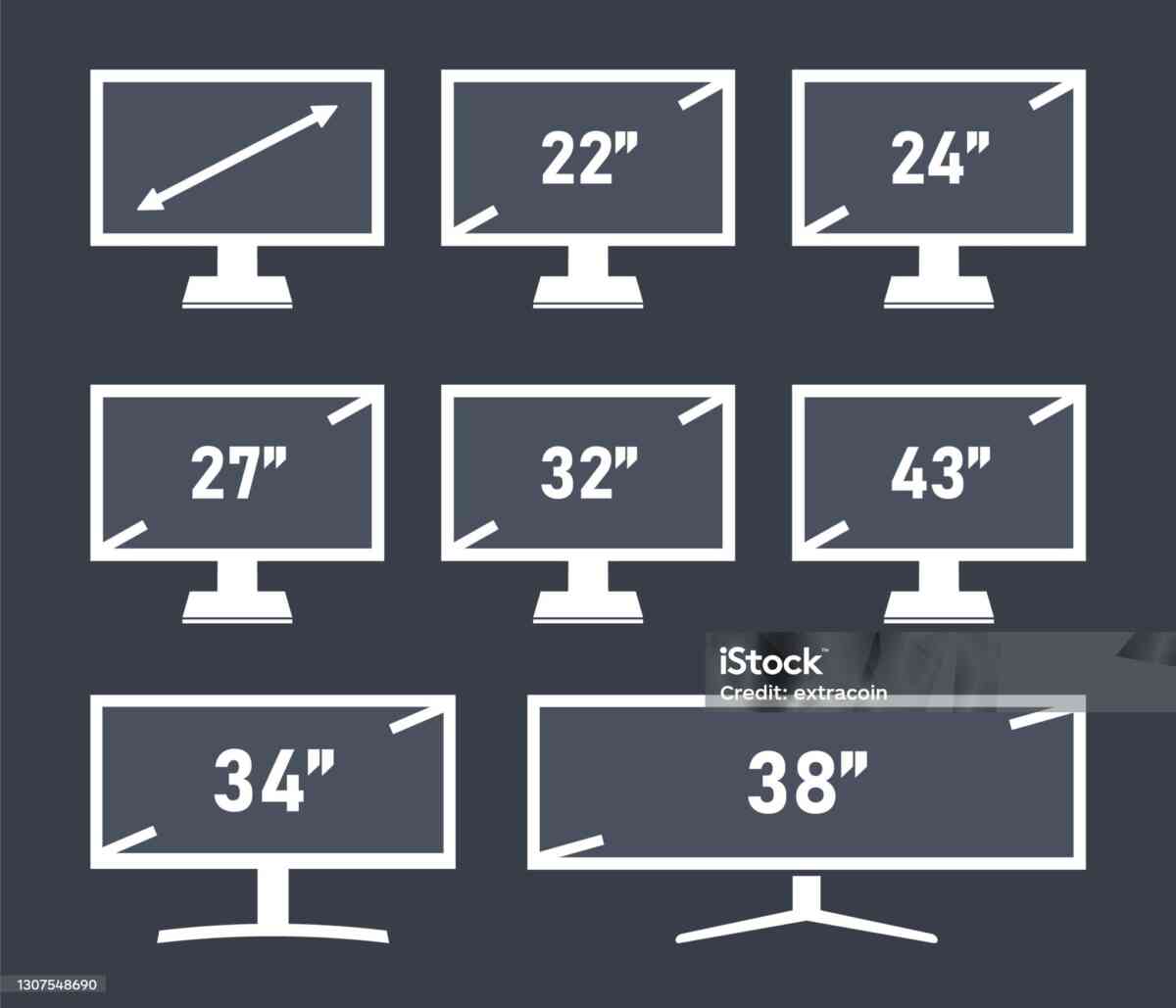
A television may be advertised as 55 inches, a monitor as 27 inches, an ultrawide display as 34 inches, or a projector screen as 120 inches. These numbers describe the diagonal measurement of the display, but they do not directly tell you how wide or tall the screen actually is.
That distinction becomes important when you are planning a home theater, purchasing a television, designing a gaming workstation, installing a computer monitor, building a conference room, or determining whether a screen will fit on a wall or inside a cabinet.
A Screen Size Calculator makes this process much easier.
By entering a screen’s diagonal measurement and aspect ratio, you can calculate its approximate width and height. You can also use screen-size calculations to estimate display area, compare different aspect ratios, convert inches to centimeters, and plan viewing distances.
This guide provides a comprehensive explanation of screen-size calculations and shows how the mathematics can be applied to TVs, monitors, projectors, tablets, smartphones, gaming displays, digital signage, and professional workstations.
What Is a Screen Size Calculator?
A Screen Size Calculator is an online tool designed to determine the physical dimensions of a display.
The calculator can work with several types of measurements, depending on the available inputs.
You may enter:
- Diagonal screen size
- Width
- Height
- Aspect ratio
- Units such as inches or centimeters
The calculator can then determine the remaining dimensions.
For example, if you know that a television has a 65-inch diagonal and a 16:9 aspect ratio, the calculator can estimate the width and height of the active screen.
This information can be useful when:
- Shopping for a television
- Choosing a computer monitor
- Planning a projector installation
- Designing a home theater
- Measuring furniture
- Planning a gaming setup
- Building a multi-monitor workstation
- Installing digital signage
- Designing a conference room
- Comparing display formats
The biggest advantage is convenience. Instead of manually performing geometric calculations, you can obtain the results quickly.
Why Screen Size Is Measured Diagonally
Screen manufacturers typically use diagonal measurements because a single diagonal number provides a standardized way to describe display size.
The diagonal runs from one corner of the visible screen to the opposite corner.
For example, a 55-inch television has an approximately 55-inch diagonal display.
That does not mean the television is 55 inches wide.
The diagonal is actually the hypotenuse of the rectangle.
Using the Pythagorean theorem:
Width² + Height² = Diagonal²
Therefore:
Diagonal = √(Width² + Height²)
This formula is the foundation of screen-size calculations.
Why Diagonal Size Alone Is Not Enough
Imagine two displays that are both 50 inches diagonally.
One has a 16:9 aspect ratio.
The other has a 4:3 aspect ratio.
Although both have the same diagonal measurement, their physical dimensions are different.
The 16:9 display is wider and shorter.
The 4:3 display is narrower and taller.
Therefore, if your goal is to determine whether a display fits into a specific physical space, you need more information than the diagonal.
You need:
- Width
- Height
- Aspect ratio
- Overall product dimensions
A Screen Size Calculator helps provide the first three.
Understanding Aspect Ratio
Aspect ratio is the relationship between the width and height of a display.
It is expressed as:
Width : Height
For example:
16:9
means the screen is 16 units wide for every 9 units of height.
Common display aspect ratios include:
- 4:3
- 5:4
- 16:9
- 16:10
- 3:2
- 21:9
- 32:9
- 1:1
Different aspect ratios create different screen shapes.
This is why two screens with the same diagonal measurement can have noticeably different widths and heights.
The Screen Size Calculator Formula
Suppose the screen has:
- Diagonal = D
- Width ratio = A
- Height ratio = B
The width can be calculated as:
Width = D × A / √(A² + B²)
The height can be calculated as:
Height = D × B / √(A² + B²)
These formulas work for rectangular displays.
For a 16:9 screen, substitute:
A = 16
B = 9
This allows you to calculate dimensions for virtually any diagonal size.
Example: Calculating a 65-Inch 16:9 Screen
Suppose you want to calculate the dimensions of a 65-inch television.
The screen uses a 16:9 aspect ratio.
Using the formula:
Width = 65 × 16 / √(16² + 9²)
The approximate width is:
56.6 inches
The approximate height is:
31.9 inches
Converting to centimeters:
56.6 × 2.54 ≈ 143.8 cm
31.9 × 2.54 ≈ 81.0 cm
Therefore, the active screen is approximately:
143.8 cm × 81.0 cm
The actual television cabinet may be slightly larger.
Screen Size Calculator for 16:9 Displays
16:9 is one of the most common aspect ratios in modern electronics.
It is widely used for:
- Televisions
- Computer monitors
- Laptops
- Projectors
- Streaming video
- Gaming
- Digital signage
- Online video
Because it is so common, a large number of screen-size calculations involve 16:9 displays.
Common 16:9 Screen Dimensions
The following values are approximate:
| Diagonal | Width | Height |
|---|---|---|
| 24″ | 20.9″ | 11.8″ |
| 27″ | 23.5″ | 13.2″ |
| 32″ | 27.9″ | 15.7″ |
| 40″ | 34.9″ | 19.6″ |
| 43″ | 37.5″ | 21.1″ |
| 50″ | 43.6″ | 24.5″ |
| 55″ | 47.9″ | 27.0″ |
| 60″ | 52.3″ | 29.4″ |
| 65″ | 56.6″ | 31.9″ |
| 70″ | 61.0″ | 34.3″ |
| 75″ | 65.4″ | 36.8″ |
| 85″ | 74.1″ | 41.7″ |
| 98″ | 85.4″ | 48.0″ |
These values represent the approximate active display surface.
They should not be treated as the exact external dimensions of a television or monitor.
How Wide Is a 55-Inch Screen?
A 55-inch 16:9 display is approximately:
47.9 inches wide
and:
27.0 inches high
In centimeters:
121.7 cm wide
and:
68.6 cm high
This is a useful reference because 55-inch televisions are common.
If you have a cabinet that is exactly 48 inches wide, however, you should not assume the TV will fit.
The outer television frame may extend beyond the active screen.
Always check the manufacturer’s dimensions.
How Wide Is a 65-Inch Screen?
A 65-inch 16:9 screen is approximately:
56.6 inches wide
and:
31.9 inches high
In centimeters:
143.8 cm wide
and:
81.0 cm high
This gives you a useful estimate for wall planning.
How Wide Is a 75-Inch Screen?
A 75-inch 16:9 display is approximately:
65.4 inches wide
and:
36.8 inches high
In metric measurements:
166.1 cm wide
and:
93.5 cm high
A 75-inch TV therefore requires significant wall or furniture space.
How Wide Is an 85-Inch Screen?
An 85-inch 16:9 screen is approximately:
74.1 inches wide
and:
41.7 inches high
That equals roughly:
188.2 cm × 105.9 cm
An 85-inch television should therefore be carefully planned before purchase.
Screen Size Calculator in Centimeters
Many countries use centimeters rather than inches.
The conversion is straightforward:
1 inch = 2.54 centimeters
To convert a calculated width or height:
Centimeters = Inches × 2.54
For example:
A 65-inch 16:9 screen is approximately:
56.6 × 2.54 = 143.8 cm
31.9 × 2.54 = 81.0 cm
Therefore:
Approximately 143.8 cm × 81.0 cm
Screen Size Calculator in Millimeters
For more precise installation planning, dimensions can also be converted into millimeters.
The relationship is:
1 inch = 25.4 millimeters
Therefore:
56.6 inches × 25.4 ≈ 1,438 mm
31.9 inches × 25.4 ≈ 810 mm
This can be useful when designing custom furniture or mounting systems.
Calculating Diagonal From Width and Height
Sometimes you know the width and height but need to determine the diagonal.
Use:
Diagonal = √(Width² + Height²)
For example:
Width = 48 inches
Height = 27 inches
Then:
Diagonal = √(48² + 27²)
The result is approximately:
55.1 inches
This means the screen is close to a 55-inch display.
Calculating Aspect Ratio From Width and Height
If you have the physical width and height, you can calculate the aspect ratio.
Suppose:
Width = 32 inches
Height = 18 inches
The ratio is:
32:18
Divide both by 2:
16:9
Therefore, the screen has a 16:9 aspect ratio.
This technique is useful for identifying the format of an existing display.
What Is a 4:3 Screen?
4:3 was widely used for older televisions and computer monitors.
The format is considerably taller relative to its width than modern 16:9 displays.
A Screen Size Calculator can still calculate dimensions for 4:3 screens.
The formula remains the same.
Only the aspect-ratio values change.
What Is a 16:10 Screen?
16:10 is slightly taller than 16:9.
This extra vertical space can be useful for:
- Productivity
- Documents
- Coding
- Browsing
- Photo editing
Some laptops and professional monitors use 16:10 displays.
For the same diagonal size, a 16:10 display is slightly taller and slightly narrower than a 16:9 display.
What Is a 21:9 Screen?
21:9 is commonly associated with ultrawide monitors.
These displays emphasize horizontal workspace.
A 21:9 monitor can be useful for:
- Gaming
- Video editing
- Programming
- Trading
- Spreadsheets
- Multitasking
The large horizontal dimension can reduce the need for multiple displays.
34-Inch 21:9 Monitor Dimensions
A 34-inch 21:9 monitor is approximately:
31.3 inches wide
and:
13.4 inches high
In centimeters:
79.5 cm wide
and:
34.0 cm high
This illustrates why a 34-inch ultrawide monitor can require a lot of desk width despite having a relatively modest vertical height.
What Is a 32:9 Display?
32:9 is an extremely wide aspect ratio.
These displays are sometimes called super-ultrawide monitors.
They are useful for:
- Professional multitasking
- Trading
- Simulation
- Gaming
- Large spreadsheets
- Video production
The physical width can be substantial.
Therefore, a Screen Size Calculator can be particularly useful before purchasing a 32:9 monitor.
Screen Size Calculator for Gaming
Gamers often have very specific display requirements.
Some prioritize:
- High refresh rate
- Low response time
- High resolution
- Variable refresh technology
- Large screen
- Ultrawide format
Screen size influences immersion and viewing comfort.
Competitive players may prefer a moderate screen size because the entire image remains easy to see.
Immersive gamers may prefer large displays or ultrawide monitors.
Screen Size Calculator for Home Theater
Home theaters are another major use for screen-size calculations.
A home theater screen must fit the available wall while providing a comfortable viewing experience.
Consider:
- Wall width
- Ceiling height
- Seating distance
- Screen diagonal
- Screen aspect ratio
- Projector placement
- Projector resolution
A calculator can quickly estimate the physical dimensions.
Projector Screen Size Example
Suppose you choose a 120-inch 16:9 projector screen.
The approximate screen dimensions are:
- Width: 104.6 inches
- Height: 58.8 inches
In centimeters:
- Width: 265.7 cm
- Height: 149.4 cm
That is a very large display surface.
Before purchasing, measure the wall and make sure sufficient clearance is available.
Projector Throw Distance
Screen width is particularly important for projector planning.
Projector specifications often include a throw ratio.
The basic formula is:
Throw Ratio = Throw Distance / Image Width
Rearranging:
Throw Distance = Throw Ratio × Image Width
For example, if a projector has a throw ratio of 1.5 and the image width is 100 inches:
Throw Distance = 1.5 × 100
Throw Distance = 150 inches
The actual usable range depends on the projector model and lens.
Screen Size and Viewing Distance
Viewing distance is one of the most important factors when selecting a display.
There is no universal screen size that is perfect for every room.
A display should be considered in relation to:
- Seating position
- Screen resolution
- Content type
- Personal preference
- Viewing angle
- Room size
A large television may be excellent for a large living room but inappropriate for a small desk.
Why Resolution Matters
Resolution determines how many pixels make up the image.
Common resolutions include:
- 1280 × 720
- 1920 × 1080
- 2560 × 1440
- 3840 × 2160
- 5120 × 1440
- 7680 × 4320
Screen size tells you how large the physical display is.
Resolution tells you how many pixels it contains.
These measurements should not be confused.
Screen Size and PPI
PPI means pixels per inch.
It describes pixel density.
A small screen with a high resolution can have very high PPI.
A large screen with the same resolution can have lower PPI.
For example, a 27-inch 4K monitor has a much higher pixel density than a 65-inch 4K television.
This can affect text sharpness and image detail.
Screen Area Calculation
Screen area can be calculated using:
Area = Width × Height
Suppose a 55-inch 16:9 display is approximately:
47.9 inches wide
and:
27 inches high.
Then:
Area ≈ 47.9 × 27
Area ≈ 1,293 square inches
This gives an estimate of the active display area.
Why Screen Area Is Useful
Diagonal size does not always provide an intuitive comparison.
Consider two screens with different aspect ratios.
A wider screen may have more horizontal workspace.
A taller screen may have more vertical workspace.
Screen area helps quantify the total surface.
However, area should not be the only measurement.
Different workflows benefit from different shapes.
Screen Size for Office Productivity
A larger display can improve productivity by allowing more applications to remain visible simultaneously.
For example, a professional might use:
- Browser
- Spreadsheet
- Communication software
on the same screen.
An ultrawide monitor can provide a large horizontal workspace without requiring two separate monitor frames.
Screen Size for Programming
Programmers often need both width and height.
A large display can show more code.
A portrait-oriented monitor can show longer files.
Popular configurations include:
- One 32-inch 4K display
- Two 27-inch monitors
- One 34-inch ultrawide
- One landscape display plus one portrait monitor
A Screen Size Calculator helps estimate the physical footprint of each option.
Screen Size for Graphic Design
Graphic designers often require substantial screen area.
Important display characteristics include:
- Physical size
- Resolution
- Pixel density
- Color accuracy
- Brightness
- Contrast
- Viewing angles
The Screen Size Calculator handles physical dimensions, while other specifications determine image quality.
Screen Size for Video Editing
Video editors often prefer wider displays.
A large screen can provide room for:
- Timeline
- Preview
- Media bins
- Effects
- Audio controls
- Editing tools
Ultrawide monitors can be particularly useful because of their horizontal workspace.
Screen Size for Financial Work
Large displays can be useful for financial analysis because multiple data windows can remain visible.
Users may need to view:
- Charts
- Market data
- News
- Spreadsheets
- Research
- Trading platforms
A large ultrawide or multi-monitor setup can provide substantial workspace.
Screen Size for Conference Rooms
Businesses can use screen-size calculations to select displays for:
- Meetings
- Presentations
- Video conferencing
- Dashboards
- Training
The display should be large enough for participants at the back of the room to read important information.
Room size and seating arrangement should therefore be considered alongside screen size.
Screen Size for Classrooms
Educational environments often use large displays.
A classroom display may need to show:
- Text
- Diagrams
- Presentations
- Videos
- Interactive content
A larger screen can improve visibility for students farther away.
However, mounting height and viewing angles should also be considered.
Screen Size for Digital Signage
Digital signage is used in:
- Retail stores
- Restaurants
- Hotels
- Airports
- Hospitals
- Corporate offices
- Shopping centers
The display size should be selected according to viewing distance and content.
A screen-size calculator can help determine the physical dimensions before installation.
Screen Size for Small Rooms
A small room does not automatically require a small screen.
Resolution, viewing distance, and wall dimensions all matter.
For example, a 43-inch 4K television can provide a detailed image while occupying relatively little wall space compared with larger models.
Measure the room before deciding.
Screen Size for Large Rooms
Large rooms can support larger displays.
Possible options include:
- 65-inch TV
- 75-inch TV
- 85-inch TV
- 98-inch TV
- Large projector screen
The best option depends on seating distance and viewing goals.
Screen Size and Wall Proportion
A television should generally look proportionate to its installation space.
A very small display on a huge wall can look visually lost.
A massive screen on a narrow wall can overwhelm the space.
Using calculated width and height makes it easier to visualize the final installation.
Screen Size and Furniture
Furniture dimensions are often the deciding factor.
Before purchasing a television:
- Measure the cabinet.
- Calculate the screen dimensions.
- Check the actual TV width.
- Consider the stand.
- Allow clearance for cables.
- Confirm ventilation requirements.
This prevents unpleasant surprises after purchase.
Screen Size and Multi-Monitor Workstations
A Screen Size Calculator can also help design multi-monitor workstations.
Suppose you want two 27-inch 16:9 monitors.
Each display is approximately:
23.5 inches wide.
Together:
23.5 + 23.5 = 47 inches
of active screen width.
The total physical width will be greater after accounting for:
- Bezel
- Monitor frames
- Gaps
- Mounts
Three 27-Inch Monitors
Three 27-inch 16:9 monitors have approximately:
23.5 × 3 = 70.5 inches
of combined active screen width.
That is nearly six feet of display surface.
This is why desk width should be measured before purchasing multiple monitors.
Portrait Orientation
A monitor can often be rotated vertically.
A 27-inch 16:9 display has approximate dimensions of:
Landscape:
- 23.5 inches wide
- 13.2 inches high
Portrait:
- 13.2 inches wide
- 23.5 inches high
Portrait displays can be useful for:
- Programming
- Reading
- Writing
- Document review
- Web browsing
Screen Size and Smartphone Displays
Screen-size calculations are not limited to TVs and monitors.
Smartphones are also commonly measured diagonally.
Modern phones often use tall aspect ratios.
This means a 6.5-inch smartphone can have a very different physical shape from an older 6.5-inch device with a different aspect ratio.
The same geometry applies.
Screen Size and Tablet Displays
Tablets commonly use:
- 16:10
- 4:3
- 3:2
A 10-inch 4:3 tablet is shaped differently from a 10-inch 16:10 tablet.
This can influence:
- Reading
- Video
- Productivity
- Gaming
- Web browsing
A Screen Size Calculator can make these differences easier to understand.
Screen Size and Curved Displays
Curved monitors require special attention.
The basic screen-size calculation treats the display as a rectangle.
The actual curved panel may have a different physical footprint.
For exact installation measurements, always consult the manufacturer’s specifications.
Screen Size and Bezel Size
Modern monitors and TVs often have narrow bezels.
However, the bezel still contributes to the total product dimensions.
This matters particularly when:
- Mounting multiple monitors
- Building video walls
- Installing a TV into furniture
- Designing custom cabinetry
Use calculated dimensions for planning and manufacturer dimensions for final measurements.
Screen Size Calculator for Video Walls
Commercial video walls can use multiple displays arranged together.
The total size depends on:
- Number of screens
- Screen width
- Screen height
- Bezel width
- Mounting gaps
- Arrangement
For example, a 2 × 2 configuration creates a larger combined display area.
Commercial installations require exact product dimensions rather than only mathematical screen dimensions.
Screen Size Calculator for Retail Displays
Retailers can use screen calculations to plan:
- Product advertising
- Promotional displays
- Menu screens
- Digital price boards
- Interactive kiosks
The physical display must fit the available installation space while remaining visible from the intended viewing distance.
Screen Size and Outdoor Advertising
Large outdoor screens require additional planning.
Besides physical size, consider:
- Brightness
- Weather protection
- Viewing distance
- Mounting structure
- Power requirements
- Environmental conditions
The Screen Size Calculator provides dimensional information but does not replace engineering requirements.
Screen Size and Home Office Design
For a home office, screen size should be balanced with desk space.
Measure:
- Desk width
- Desk depth
- Chair position
- Monitor position
- Keyboard area
- Speaker placement
A 32-inch monitor may provide excellent workspace but require more desk depth than a 24-inch display.
Screen Size and Ergonomics
Larger does not always mean better.
The monitor should be positioned comfortably relative to your eyes.
Your setup should avoid requiring excessive:
- Neck movement
- Head tilting
- Eye strain
- Reaching
Monitor stands and arms can help position larger displays appropriately.
Common Screen-Size Mistakes
Mistake 1: Confusing diagonal with width
The diagonal is not the horizontal dimension.
Mistake 2: Ignoring aspect ratio
Different ratios produce different dimensions.
Mistake 3: Ignoring cabinet size
The complete product can be larger than the screen.
Mistake 4: Ignoring the stand
The stand may increase overall height and depth.
Mistake 5: Ignoring viewing distance
Screen size must be appropriate for the room.
Mistake 6: Choosing only by inches
Resolution, PPI, refresh rate, and panel quality also matter.
Mistake 7: Ignoring available space
Always measure the installation location first.
How to Use a Free Screen Size Calculator
Using the calculator is normally simple.
Step 1: Determine the Diagonal
Enter the advertised screen size.
Step 2: Select the Aspect Ratio
Choose the correct format.
For most modern TVs:
16:9
For an ultrawide monitor:
21:9
Step 3: Calculate
The tool determines width and height.
Step 4: Convert Units
If needed, convert inches into centimeters.
Step 5: Compare
Compare the dimensions with your:
- Desk
- Wall
- Cabinet
- Room
- Mounting area
Step 6: Confirm Manufacturer Dimensions
Use the product specifications for final installation.
Example: Comparing 55-Inch and 65-Inch TVs
Suppose you are deciding between two televisions.
55-Inch 16:9
Approximate:
- Width: 47.9 inches
- Height: 27.0 inches
65-Inch 16:9
Approximate:
- Width: 56.6 inches
- Height: 31.9 inches
The 65-inch display is not simply 10 inches wider.
The diagonal increased by 10 inches, but both width and height increased.
The total viewing area also increases significantly.
Example: Comparing 27-Inch and 34-Inch Monitors
27-Inch 16:9
Approximate:
- Width: 23.5 inches
- Height: 13.2 inches
34-Inch 21:9
Approximate:
- Width: 31.3 inches
- Height: 13.4 inches
Notice how similar the heights are.
The 34-inch ultrawide display provides substantially more horizontal space.
This is an excellent example of why diagonal size alone can be misleading.
Screen Size vs Display Area
A larger diagonal generally means a larger display, but the relationship is affected by aspect ratio.
For practical comparisons, look at:
Diagonal + Width + Height + Area
This provides a much better understanding of the actual display.
Screen Size Calculator and PPI Calculator
These two tools can complement one another.
The Screen Size Calculator determines:
- Width
- Height
- Diagonal
- Physical area
The PPI Calculator determines:
- Pixel density
- Pixels per inch
Together, they provide a better understanding of physical display size and image detail.
Screen Size Calculator and Aspect Ratio Calculator
An Aspect Ratio Calculator can determine the proportional relationship between width and height.
The Screen Size Calculator can then use that ratio to determine dimensions from the diagonal.
These tools are particularly useful when working with:
- Video
- Photography
- Web design
- Gaming
- Monitors
- Projectors
Screen Size Calculator for Content Creators
Content creators frequently work with different aspect ratios.
Common formats include:
- 16:9
- 9:16
- 1:1
- 4:5
- 21:9
Although many content formats are described using frame dimensions rather than physical displays, understanding aspect ratio is still useful when choosing monitors and preview screens.
Screen Size Calculator for Professional Workstations
Professionals may use large displays for:
- CAD
- Engineering
- Architecture
- Financial analysis
- Software development
- Video production
- Graphic design
Screen size can influence productivity by determining how much information can remain visible simultaneously.
Screen Size and CAD Work
CAD professionals often benefit from large high-resolution displays.
Additional physical screen area can make it easier to view:
- Drawings
- Models
- Tool panels
- Specifications
- Reference material
However, resolution and color accuracy may be just as important as physical dimensions.
Screen Size and Architecture
Architects can benefit from large displays when reviewing:
- Floor plans
- Elevations
- 3D models
- Rendering
- Construction documents
A large monitor can reduce the need to constantly zoom and pan.
Screen Size and Remote Work
Remote workers may spend many hours in front of a screen.
A properly sized monitor can provide sufficient workspace without requiring an excessively large desk.
For many users, the ideal setup is a balance between:
- Screen size
- Resolution
- Viewing distance
- Desk dimensions
- Ergonomics
Screen Size and Energy Consumption
Screen size can indirectly relate to power consumption, but physical size alone does not determine energy usage.
Power consumption depends on:
- Panel technology
- Brightness
- Resolution
- Refresh rate
- Backlight
- Features
- Usage patterns
Therefore, a Screen Size Calculator should not be used to estimate electricity consumption.
Use the manufacturer’s power specifications or a dedicated Electricity Cost Calculator.
Screen Size and Resolution Scaling
High-resolution displays may require operating-system scaling.
For example, a 4K monitor can display more pixels than a Full HD monitor.
But text may appear physically smaller unless scaling is adjusted.
This is another reason to consider:
- Physical size
- Resolution
- PPI
- Viewing distance
together.
Screen Size and Refresh Rate
Refresh rate describes how frequently the display updates the image.
Common refresh rates include:
- 60 Hz
- 75 Hz
- 120 Hz
- 144 Hz
- 165 Hz
- 240 Hz
- Higher rates on specialized gaming monitors
Refresh rate does not determine physical screen dimensions.
A Screen Size Calculator and display-specification comparison should therefore be treated as separate parts of the buying process.
Screen Size and HDR
HDR can improve image brightness and contrast.
However, HDR quality is not determined by screen size.
Important factors include:
- Peak brightness
- Contrast
- Local dimming
- Panel technology
- Color gamut
- HDR format
A large screen can have excellent or poor HDR performance depending on the display technology.
Screen Size and Panel Technology
Common panel technologies include:
- LCD
- LED-backlit LCD
- OLED
- Mini-LED
- QLED-based LCD designs
These technologies affect image characteristics.
Screen size simply describes the physical display dimension.
When a Screen Size Calculator Is Most Useful
A Screen Size Calculator is particularly useful when:
- Comparing TVs
- Comparing monitors
- Planning a home theater
- Designing a gaming desk
- Building a multi-monitor workstation
- Installing a projector
- Designing digital signage
- Planning conference rooms
- Measuring existing displays
- Comparing aspect ratios
Frequently Asked Questions
What is the formula for screen size?
For a rectangular screen:
Diagonal = √(Width² + Height²)
If the aspect ratio is known, width and height can be calculated from the diagonal.
How do I calculate width from screen size?
Use:
Width = Diagonal × Width Ratio / √(Width Ratio² + Height Ratio²)
How do I calculate height?
Use:
Height = Diagonal × Height Ratio / √(Width Ratio² + Height Ratio²)
Is a 55-inch TV 55 inches wide?
No. A typical 55-inch 16:9 display is approximately 47.9 inches wide.
Is a 65-inch TV 65 inches wide?
No. A typical 65-inch 16:9 screen is approximately 56.6 inches wide.
Is a 34-inch ultrawide monitor really 34 inches wide?
No. The 34 inches describes the diagonal. A typical 34-inch 21:9 display is approximately 31.3 inches wide.
Can the calculator work for projectors?
Yes.
Can I calculate screen area?
Yes. Multiply width by height.
Does aspect ratio affect screen area?
Yes. Aspect ratio determines the relationship between width and height.
Does resolution affect physical screen size?
No. Resolution and physical size are separate characteristics.
Does screen size affect PPI?
Yes. For a fixed resolution, increasing physical screen size generally reduces pixel density.
Practical Screen Size Selection Guide
When choosing a display, start with your physical space.
If you are buying a monitor, measure the desk.
If you are buying a television, measure the wall or cabinet.
If you are installing a projector, measure the available projection wall.
Then determine the desired diagonal.
Use the Screen Size Calculator to translate that diagonal into width and height.
Next, consider:
- Resolution
- Viewing distance
- Aspect ratio
- Pixel density
- Refresh rate
- Intended use
Finally, check the manufacturer’s specifications.
Why Free Online Tools Make Display Planning Easier
Manual calculations are possible, but they are unnecessary for most users.
A free online Screen Size Calculator provides immediate results.
This is particularly helpful when comparing many displays.
Instead of calculating every screen manually, you can enter the dimensions into the tool and compare the results.
This can save time when designing:
- Home theaters
- Offices
- Gaming rooms
- Conference rooms
- Classrooms
- Retail spaces
Final Conclusion
A Screen Size Calculator is a valuable tool for understanding the real physical dimensions behind advertised display sizes.
The number of inches on a television or monitor represents its diagonal measurement. It does not directly indicate width or height.
To determine those dimensions, you need the display’s aspect ratio.
For a rectangular display:
Width² + Height² = Diagonal²
And when the aspect ratio is known:
Width = D × A / √(A² + B²)
Height = D × B / √(A² + B²)
These formulas make it possible to calculate dimensions for virtually any rectangular screen.
Whether you are comparing a 43-inch television, a 55-inch TV, a 65-inch display, an 85-inch home theater screen, a 27-inch monitor, a 34-inch ultrawide, or a 49-inch super-ultrawide monitor, understanding width and height makes your decision much easier.
A Screen Size Calculator can help you determine:
- Screen width
- Screen height
- Diagonal size
- Screen area
- Aspect-ratio dimensions
- Inch-to-centimeter conversions
- Projector screen dimensions
- Monitor dimensions
- TV dimensions
It can also support broader planning for home theaters, gaming rooms, offices, conference rooms, classrooms, digital signage, and multi-monitor workstations.
However, calculated screen dimensions should always be treated as estimates of the active display area. The complete product may be larger because of bezels, frames, stands, speakers, mounting hardware, and other components.
For final installation, always verify the manufacturer’s exact product dimensions.
The best display is not necessarily the largest one available. It is the one that fits your space, viewing distance, resolution requirements, workflow, budget, and personal preferences.
By combining a Screen Size Calculator with careful measurements and the manufacturer’s specifications, you can make smarter decisions and avoid many of the common mistakes associated with buying or installing a new display.


